Affiliate program — how it works (and when it's available to you)
The exact mechanics of OverSkill's affiliate program — a flat 20% recurring commission on subscriptions through a referral's first 12 months, how the 60-day attribution window works, and how payouts land.
OverSkill pays you for referring new subscribers. This article is the fine print — the exact numbers and rules. If you just want to grab your link and start sharing, Promote OverSkill and earn is the quicker read.
Where to find it
Your affiliate page lives at Account → Affiliate Program. Opening it enrolls you automatically and shows your share link, earnings, and promo kit — there's no separate application.
If you don't see an Affiliate option in your account, it hasn't been switched on for your account yet — reply to support and we'll let you know where things stand. Please don't guess at an affiliate link; if it isn't enabled for you, a guessed link won't track.
The commission, exactly
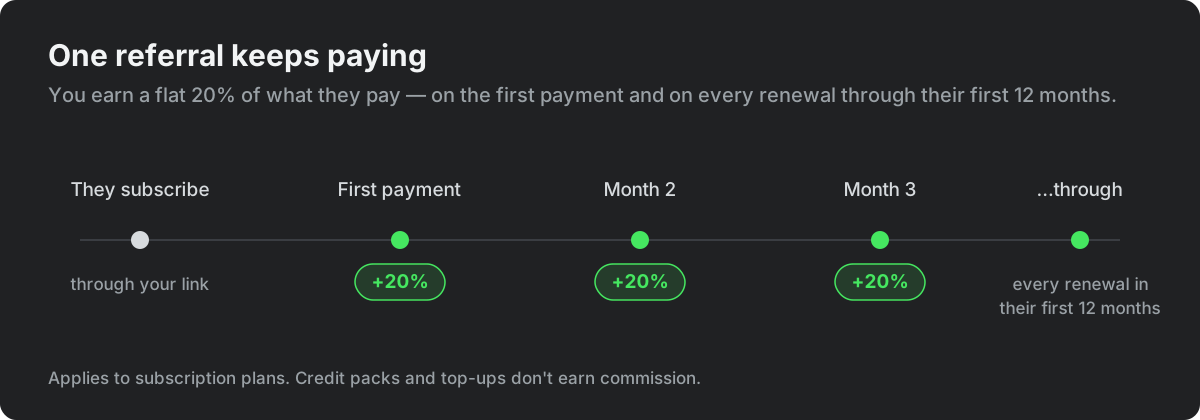
- Flat 20%. Everyone earns the same rate — it's the rate shown on your affiliate page.
- Recurring through their first 12 months. You earn 20% of the first payment and 20% of every renewal through that person's first year. It is not a one-time payout — you keep earning on each renewal across their first 12 months.
- Subscriptions only. Commissions apply to subscription plans. Credit packs, top-ups, and other one-time purchases don't earn commission.
How referrals are tracked
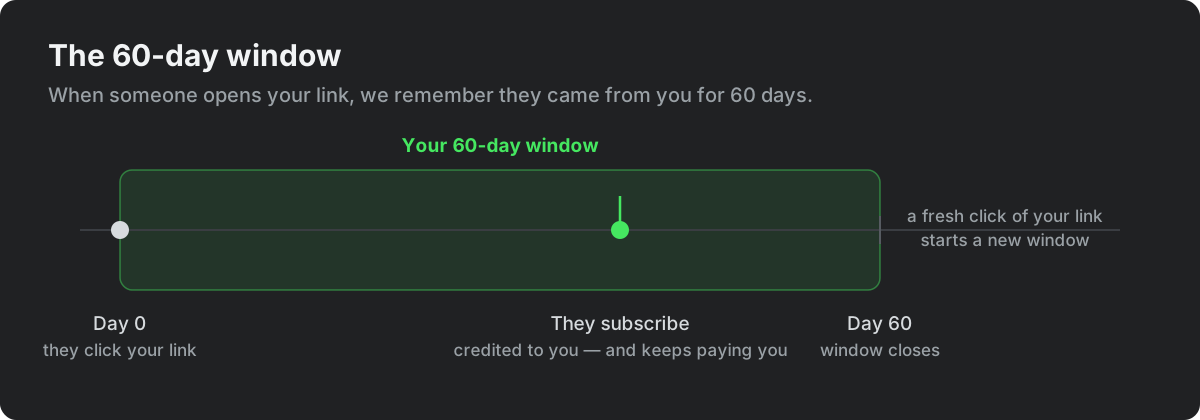
Your share link looks like https://overskill.com/?ref=yourname. When someone opens it, we remember they came from you for 60 days:
- If they subscribe inside that window, the sale is credited to you — and keeps paying you on every renewal through their first 12 months, even though the window itself has closed.
- If they come back after 60 days without clicking your link again, the window has lapsed. A fresh click of your link starts a new 60-day window.
- If they already joined OverSkill through someone else's referral earlier, that original referrer keeps the credit — a newer link click doesn't take over an existing relationship.
Earnings and payouts
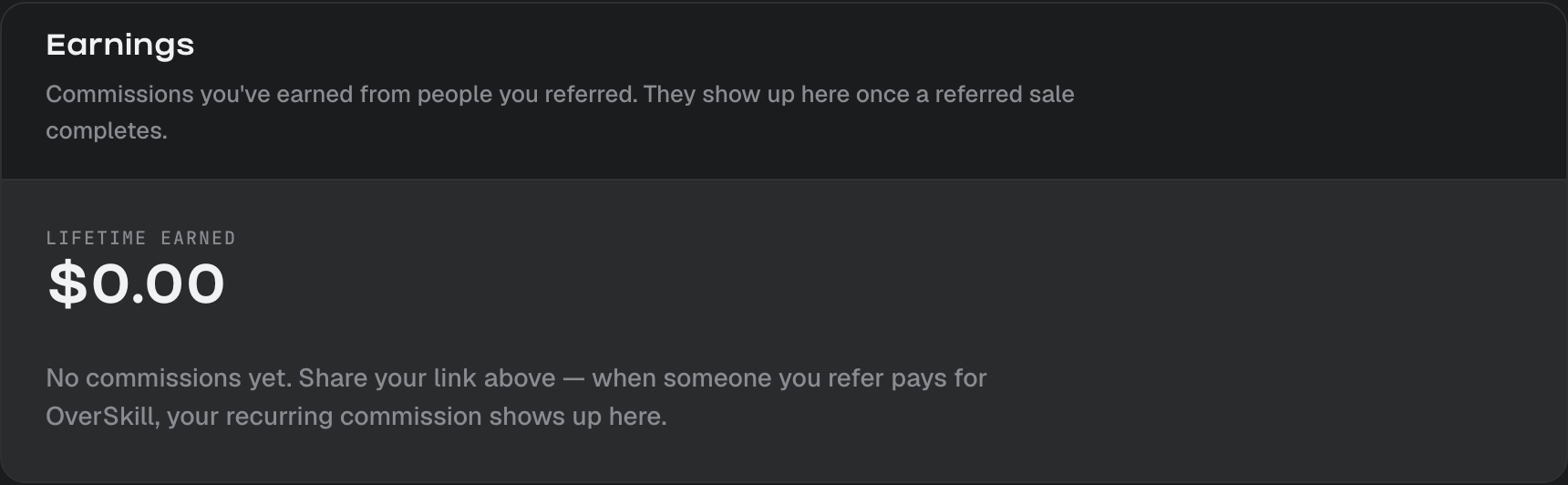
Your affiliate page shows your lifetime earnings and each individual commission:
- A new commission appears as pending while the sale clears — that covers the buyer's refund window.
- Once it clears it flips to completed and pays out automatically through our payments partner. You don't need to invoice anyone or request a payout.
What you get to work with
Once enrolled, your affiliate page includes:
- Your share link with one-tap share buttons for X, LinkedIn, and email.
- A promo kit — a suggested message, a social post, and an email blurb with your link already baked in, plus OverSkill brand marks.
- Invite codes, while OverSkill is invite-only — instant-access codes you can hand to people so they skip the waitlist entirely. See Invite codes and referral links.
Fair play
A few common-sense rules, enforced automatically:
- Referring yourself (or your own workspaces) doesn't earn commission.
- Signups are screened for fraud — bulk fake emails and self-dealing patterns don't count toward referrals or commissions.
The short version
- Flat 20% recurring commission — first payment and every renewal through a referral's first 12 months.
- Applies to subscriptions, not credit packs or top-ups.
- 60-day attribution window from the first click; the earliest referrer keeps the credit.
- Payouts are automatic once a commission clears.
- It all lives at Account → Affiliate Program — and if you don't see it there yet, ask support.
What to read next
- Promote OverSkill and earn — your link, the promo kit, and how to share it well
- Invite codes and referral links — bringing people in while OverSkill is invite-only